

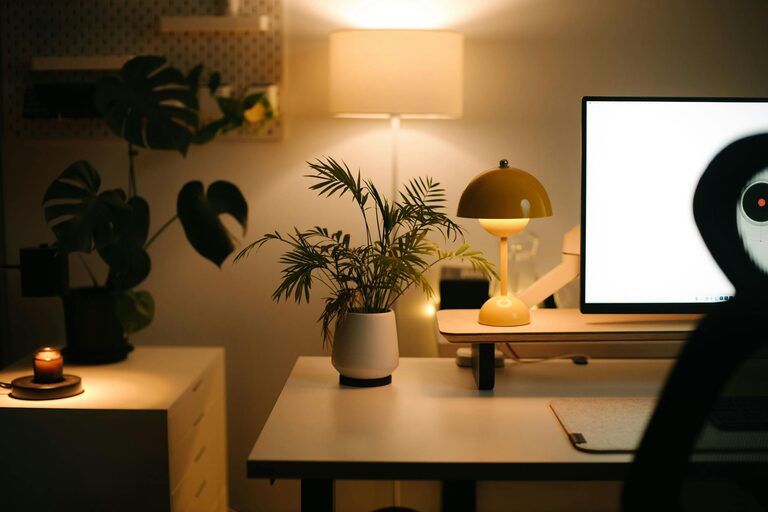
Creating a productive home workspace can make a big difference in your daily work experience. Whether you work remotely full-time or occasionally, having a dedicated and well-organized space helps you stay focused, motivated, and comfortable. In this post, we’ll explore simple tips to set up a home workspace that promotes productivity without overwhelming you.
Why a Dedicated Home Workspace Matters
Working from the couch or kitchen table might seem convenient, but it can lead to distractions and discomfort. A dedicated home workspace signals to your brain that it’s time to work, making it easier to switch into “work mode.” It also helps keep your work materials organized and minimizes interruptions from household noise or activities.
Choose the Right Location
Find a Quiet Spot
Select a place in your home where you can focus without frequent interruptions. If possible, pick a room or corner away from high-traffic or noisy areas.
Consider Natural Light
Natural light can boost your mood and energy levels. Try to position your desk near a window, but avoid glare on your computer screen by adjusting blinds or curtains as needed.
Think About Privacy
If you have family or roommates, it’s important to have a space you can retreat to when you need to concentrate or join meetings.
Invest in Comfortable Furniture
Ergonomic Chair
Spend time finding a supportive chair that encourages good posture. Comfort reduces physical strain and helps you stay productive longer.
Proper Desk Height
Your desk should allow your arms to rest comfortably at about a 90-degree angle when typing. Adjustable desks, including standing desks, are great options to vary your position throughout the day.
Add Supportive Accessories
An external keyboard, mouse, and monitor stand can improve ergonomics, especially if you work on a laptop for long periods.
Organize Your Workspace Effectively
Declutter Regularly
A neat workspace minimizes distractions. Keep only essential items on your desk and store other materials in drawers or shelves.
Use Storage Solutions
Use baskets, filing trays, or drawer organizers to keep papers, supplies, and gadgets neatly arranged.
Keep Cords Managed
Use cable clips or ties to avoid tangled wires and reduce visual clutter.
Set Up Proper Lighting
Good lighting reduces eye strain and keeps you alert.
– Use a combination of natural light and task lighting.
– A desk lamp with adjustable brightness and color temperature can help during late hours.
Personalize Your Space
Adding small personal touches can make your workspace more inviting.
– Use a plant for a bit of greenery and freshness.
– Hang a favorite picture, calendar, or motivational quote.
– Choose calming or inspiring colors for your workspace accessories.
Minimize Distractions
Use Noise Control Tools
Noise-canceling headphones or white noise machines can help block out background sounds.
Limit Digital Interruptions
Turn off unnecessary notifications on your phone and computer to stay focused.
Create Boundaries
Set clear rules for household members about when you cannot be disturbed.
Plan Your Workspace Layout
Arrange your desk and equipment to keep frequently used items within easy reach. A clean, efficient layout helps maintain workflow without constant interruptions to move around or search for things.
Establish Daily Routines
Having a consistent schedule when working in your home workspace develops healthy habits.
– Start and end your workday at set times.
– Take regular breaks away from your desk.
– Use your workspace only for work to help your mind separate work and home life.
Maintain Your Workspace
Take a few minutes at the end of each day to tidy your space. This helps you start fresh the next morning and prevents clutter buildup.
—
Creating a productive home workspace doesn’t require expensive equipment or a large room. A quiet, comfortable, and organized area combined with healthy habits can transform your work-from-home experience and help you stay focused day after day. Give these simple tips a try and enjoy a more effective and enjoyable workspace!